How To Colourize Brackets
Zed released rainbow brackets.
Here is how to set it up in Zed's settings.json (cmd-, --> Edit in settings.json):
{
  // just add it top level:
  "colorize_brackets": true,
  //... rest of the settings
}
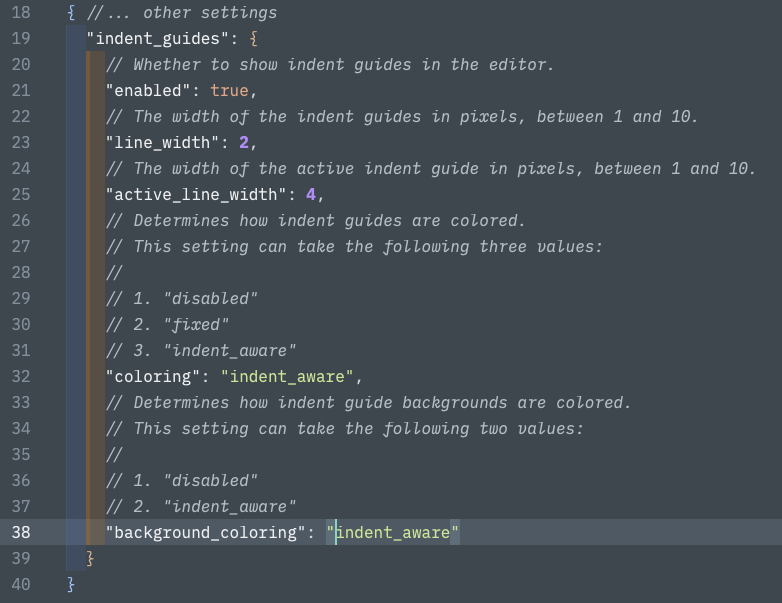
Zed has been supporting rainbow indents for a long time. Below is how you configure those. Note: "guides" refers to the lines connecting the same level of indent, they can be styled too (width, width-when-active, colour). To colour the full indent, you want to set: "background_coloring".
{ //... other settings
  "indent_guides": {
    // Whether to show indent guides in the editor.
    "enabled": true,
    // The width of the indent guides in pixels, between 1 and 10.
    "line_width": 2,
    // The width of the active indent guide in pixels, between 1 and 10.
    "active_line_width": 4,
    // Determines how indent guides are colored.
    // This setting can take the following three values:
    //
    // 1. "disabled"
    // 2. "fixed"
    // 3. "indent_aware"
    "coloring": "indent_aware",
    // Determines how indent guide backgrounds are colored.
    // This setting can take the following two values:
    //
    // 1. "disabled"
    // 2. "indent_aware"
    "background_coloring": "indent_aware"
  }
}
Here is what that looks like in Zed, also not the coloured brackets with the above setting applied: